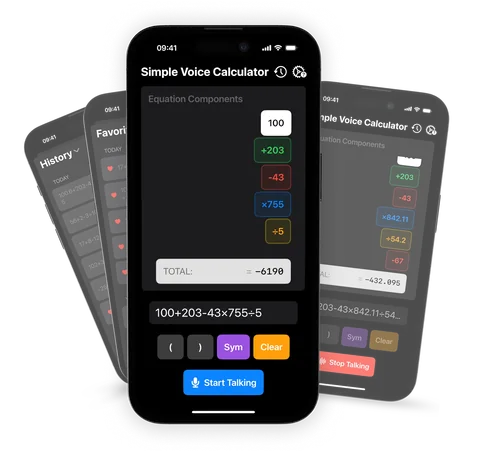
The smartest voice calculator
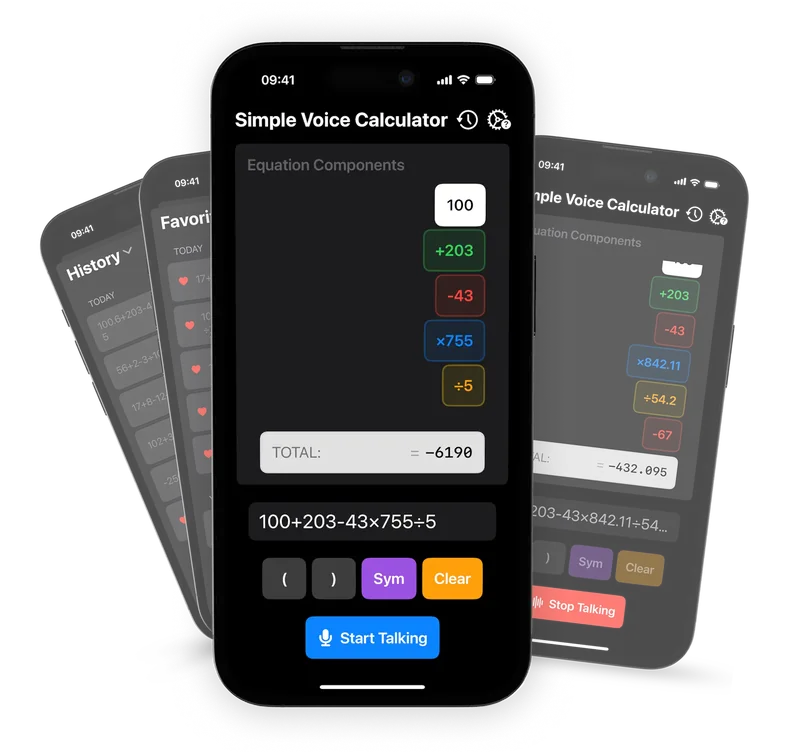
Speak your equations and get instant results. Voice input and output, history, favorites, iCloud sync, and Apple Watch support. No ads. Ever.
- App Store rating
- 4.6
- People using it
- 20k+
- Ads
- None
- Languages
- 6
Hands-free math for everyone
A calculator built around your voice. It works with VoiceOver, Voice Control and large text, and the core features are free, with no ads.
Voice input and output
Speak your equation and hear the result, completely hands-free.
Instant answers
No equals button. The result updates as you speak or edit.
Easy editing
Made a mistake? Tap a single number to fix it. No backspacing through the whole sum.
History and favorites
Your past calculations are saved, you can star Favorites to reuse, and everything syncs with iCloud (Pro).
Apple Watch app
Calculate from your wrist, with a watch face complication for quick access.
Fully accessible
VoiceOver, Voice Control, larger text, dark mode and good contrast.
The math you need
Add, subtract, multiply, divide, parentheses, decimals and percentages, all by voice.
Six languages
English, German, Italian, Spanish, Hindi and Korean. Recognition follows your iPhone's language.
Private and ad-free
Zero data collected and zero ads. Core features are free.
Keeps counting in other apps
Start talking, then switch to your bank app, a PDF or a spreadsheet and read the numbers out. Simple Voice Calculator keeps listening, and the running total stays in the Dynamic Island and on the Lock Screen. Free, on iOS 16.4 or later.

How it works
-
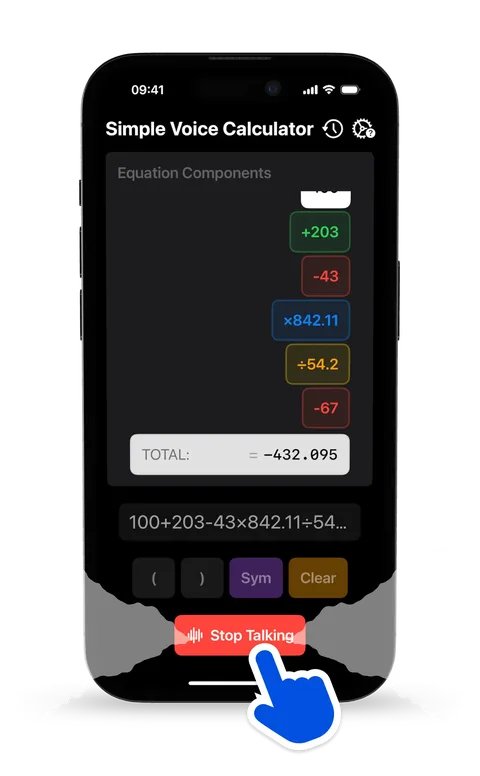
Tap and speak
Open the app, tap the microphone and say the sum naturally: "25 plus 17 times 3".
-
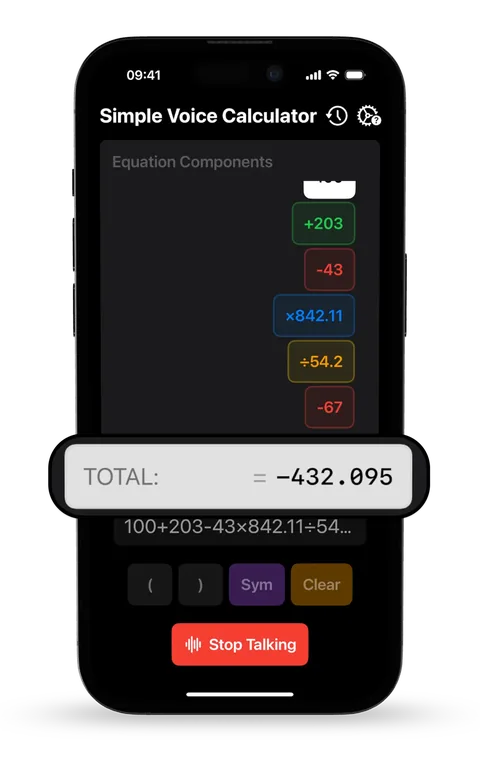
See the answer
The result appears as you talk, with the whole equation shown so you can check every part.
-

Hear it
The total is read out loud. Then edit it, save it to Favorites, or copy it with one tap.
What people say
Rated 4.6 out of 5 based on 206 ratings on the App Store.
★★★★★
Fingers don’t cut it
This is so much more useful than me entering everything with my stubby fingers. Can’t tell you how many corrections I make when I use my fingers, but this Voice Calculator has been a lifesaver! Far fewer mistakes. It’s a keeper for sure.
TheProdigalSean · April 2026
★★★★★
Simply elegant
Finally no more mistakes when I add hundreds of numbers doing my taxes. Thank you for a brilliant idea well executed!
junior marbles · October 2025
★★★★★
Incredibly useful!
Takes advantage of the features of a smartphone to save me a huge amount of time. Just open this app and hit "start speaking", go to the other app that contains the numbers, and read them out loud! Simple Voice Calculator keeps a running total.
Tinakkkkkkkkkkkkkkk · April 2025
★★★★★
Surprisingly useful!
I started using this while cooking and now I use it constantly. Just say what you want..no typing no fuss. Works every time. Love it.
KavrLreilly2011 · May 2025
★★★★★
Just what I was looking for...
Now I can add a very long sequence of numbers and get immediate results after each additional number. I'm able to do this without taking my eyes off the data. This saves me so much time. And certainly helps eliminate errors. Thank you.
Giw nylon · December 2024
★★★★★
Simple. Easy. It works.
Dictate your math equation and get an instant answer. Now I can calculate long sequences without taking my eyes off the data. The app will even speak the answer. Ravi, kudos.
KGRoberts · July 2024
★★★★★
Very handy
I couldn’t figure out how to use the app initially. I sent an email to the developer and he replied a few minutes later. It works great. I love this app.
piano novice · May 2024
★★★★★
A very pleasant surprise!
After trying countless other calculators that claimed to be hands-free calculators, I stumbled upon Simple Voice Calculator. I had about given up on finding a calculator that I could use hands-free and was very pleasantly surprised to find this one works very well. It is, indeed, simple and accurate. Thank you for a great little app!
Debbdrex · April 2024
★★★★★
I love this app!!
This works very well once you get the hang of it. You have to learn how to speak the numbers and you need to watch to be sure the app recorded it. Very simple and huge saver once I got used to it.
NewYork4078 · March 2024
Swipe for more reviews.
Where it runs
Simple Voice Calculator runs on iPhone, iPad, Apple Watch and Vision Pro.
- iPhoneiOS 16.0+
- iPadiPadOS 16.0+
- Apple WatchwatchOS 10.5+
- Vision ProvisionOS 1.0+
Guides
What to say, where it beats Siri, and a free version to try in your browser.
Try and learn
- Online voice calculatorTry voice math in your browser, free.
- What to sayEvery phrase the app understands.
- Talking calculatorSpeak it in, hear the total back.
- Siri as a calculatorWhat Siri can do, and where it stops.
- Action button ideas12 useful things to put on it.
- What is 10-key?Ten-key typing, speed and practice.
Use it for
Questions, answered
Have another question? The what to say guide covers every phrase the app understands.
Is Simple Voice Calculator really free?
Yes. All core features (voice input, voice output, real-time results, equation editing and the Apple Watch app) are completely free. Optional Pro features like History, Favorites and iCloud sync come with an affordable subscription.
Does it work offline?
Yes. Simple Voice Calculator works fully offline. Voice recognition is processed on-device using Apple's speech framework, so no internet connection is required.
Can I use it while I'm in another app?
Yes. Tap the microphone, switch to the app with the numbers and read them out loud. Simple Voice Calculator keeps listening in the background and shows the running total in the Dynamic Island and on the Lock Screen (iOS 16.4 or later). The Dynamic Island guide shows how.
What math operations does it support?
It supports addition, subtraction, multiplication, division, parentheses, commas, decimal points and percentages. Just speak naturally, for example: "open bracket 10 plus 5 close bracket times 3 percent".
Which languages are supported?
Simple Voice Calculator supports 6 languages: English, German, Italian, Spanish (Europe and Latin America), Hindi and Korean.
Does it collect my data?
No. Vito Software does not collect any data from Simple Voice Calculator. Voice processing happens entirely on your device. Your calculations stay private.
Does it work on Apple Watch?
Yes. Simple Voice Calculator includes a dedicated Apple Watch app with instant answers, a tap to delete a misheard number, and watch face complications. Requires watchOS 10.5 or later.
How do I stop voice recording hands-free?
Just say "stop", "end" or "finish recording" to stop recording without touching the screen.
Is there a free voice calculator I can use without downloading anything?
Yes. The online voice calculator on this site runs in Chrome, Edge and Safari on any computer or phone. Tap the mic, say the sum, hear the answer. No account and no ads. For everyday use on iPhone, the app adds the running total, number blocks you can fix, and the Apple Watch app.
Can it add up a long list of numbers, like receipts or a tax form?
Yes, that's what most people use it for. Read the numbers out loud one after another. Each one appears as its own block and the total updates after every number, so your eyes stay on the paper. The adding long lists guide shows how.
Does it read the answer out loud?
Yes. Turn on Announce Total in the app's Settings. It's free and off by default, so the app stays quiet until you want it to talk. Tap the total any time to hear it again.
How is it different from asking Siri?
Siri answers one question at a time. Simple Voice Calculator keeps a running total while you keep talking, shows every number you said, and lets you fix a misheard one with a tap instead of starting over. The Siri guide compares the two.
Can it work out percentages, tips and discounts?
Yes. Say "18 percent of 64" for an 18% tip on $64, "80 minus 20 percent of 80" for a 20% discount, or "80 plus 15 percent of 80" to add 15%.
What if it mishears a number?
Tap that number's block. Delete removes it, even while the app is still listening, and Edit lets you type the right value once you've stopped. The rest of the calculation stays as it is.
Is there a version for Android or Windows?
The app is for iPhone, iPad, Apple Watch and Vision Pro. On Android, Windows or a Mac, use the free online voice calculator in Chrome, Edge or Safari.
Is it good for people with low vision?
Yes. Every number and button has a VoiceOver label, it works with Voice Control and large text, and the total can be read aloud, so you can calculate without finding small keys or reading a small display. See the accessibility guide.
Still deciding? Ask your AI
Get a second opinion from the assistant you already use. Each link opens in a new tab with this question filled in.
I'm looking at Simple Voice Calculator, the voice calculator app for iPhone and Apple Watch by Vito Software (https://vito.software/simple-voice-calculator/). What does it do, how do you use it, and how does it compare with other voice calculator apps?
Say the numbers.
Hear the total.
Free on the App Store. No ads, just math. Join more than 20,000 people who calculate hands-free on iPhone, iPad, Apple Watch and Vision Pro.