Adding long lists of numbers by voice
A ten-key adding machine is quick, as long as you can type without looking. Most people can’t. They look at the paper, then the keys, then the paper, and lose their place. Reading the numbers out loud keeps your eyes on the page.
Updated · Vito Software, maker of Simple Voice Calculator
On this page

How it works
Put the receipts in a pile, or the statement on the desk, and tap the microphone. Then read down the column:
"14.20 plus 38 plus 6.75 plus 112.40 plus 9.99…"
Each number appears on screen as its own block, and the total updates after every one. You don't need to say "equals". When the column's done, say stop. Press and hold the total to copy it into a spreadsheet or an email.
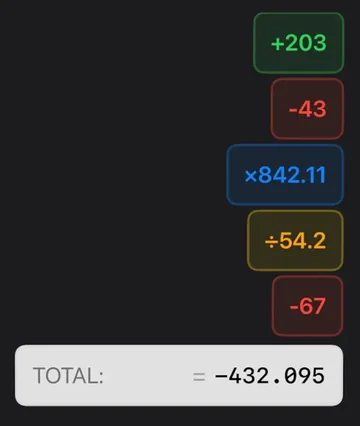
Finally no more mistakes when I add hundreds of numbers doing my taxes.junior marbles, App Store review
Numbers in another app instead of on paper? Start talking, switch to your bank app or the PDF, and read from there. The app keeps listening, and the running total stays in the Dynamic Island while you scroll. The Dynamic Island guide walks through it.
What people use it for
Tax paperwork
Adding up deductible receipts, mileage logs or a year of bank-statement lines, one category at a time.
Expense reports
A stack of paper receipts after a trip. Read each total, and say "minus" for anything personal.
Stock and inventory counts
Walking the aisles and calling out quantities, with a clipboard in one hand and nothing in the other.
Checking someone else's total
An invoice, a register tape, a contractor's quote. Read it through and see whether you get the same number.
Habits that keep the total right
- Say "plus" between every number. Without it, "14 20" can be read as 1420.
- Read cents as decimals. 6 point 75, not "six seventy-five". You don't need to say "dollars", and it's ignored if you do.
- Glance up every 10 or 20 numbers. If a block is wrong, tap it and choose Delete. That works while the app is still listening, so you don't lose your place.
- Do one category per total. Gas in one run, meals in another. Shorter totals are easier to check, and if you're on Pro, each one is saved to History.
- Use "minus" for credits and refunds. 42.50 plus 18 minus 7.25 plus 31 gives 84.25.
Voice or a ten-key adding machine?
If you've spent years on a ten-key pad and can type without looking, keep using it. A good operator is faster than anyone can talk, and the printed tape is a nice audit trail.
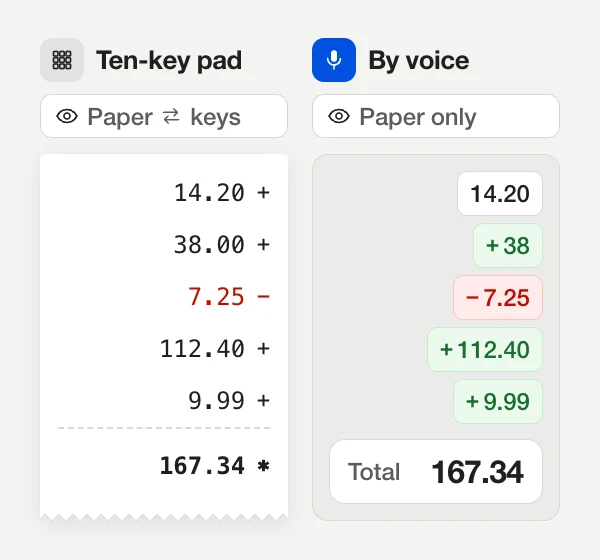
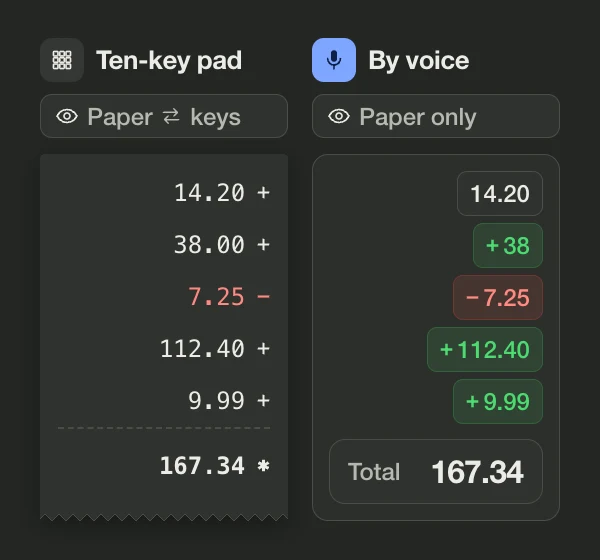
Voice wins for everyone else, and in places where a desk calculator isn't practical:
| Ten-key adding machine | Simple Voice Calculator | |
|---|---|---|
| Where your eyes are | On the keys, unless you're trained | On the paper |
| Hands needed | One on the keys | None while you read |
| Fixing an entry | Spot it on the tape, then correct it | Tap the wrong number's block |
| Record of the work | Paper tape | History, exported as text or CSV (Pro) |
| Where it works | At a desk with power | Anywhere you have your iPhone or Apple Watch |
Free, and what Pro adds
Voice and keyboard input, editing, spoken totals, widgets and the Apple Watch app are free, with no ads. Pro is for people who need a record of their work. It adds History and Favorites, iCloud sync between your devices, CSV and text export, and the option to reuse a past total as the start of a new calculation.
Want to try the idea first? The online voice calculator keeps a history of your answers in the browser and adds them up for you. For the exact phrasing, see what to say.
Questions people ask
Is there a limit to how many numbers I can add?
Not a practical one. People use it for columns of a few hundred figures. For very long lists, stop every 20 or so numbers to check the screen.
Can I see a printed tape like an adding machine?
Each number shows on screen as its own block while you work. With Pro, finished totals are saved to History, which you can export as text or CSV.
How do I subtract a refund or a credit?
Say “minus” before it: “42.50 plus 18 minus 7.25 plus 31”.
Can I keep a subtotal and come back to it later?
With Pro, open History and tap a past total to start a new calculation from it, or combine it with the current one using plus, minus, times or divide.

Simple Voice Calculator
for iPhone.
Free on the App Store, with no ads. Works on iPhone, iPad and Apple Watch. Rated 4.6 out of 5 by more than 200 people.
More guides
Try and learn
Use it for